How to Make a VPN App: A Complete Guide for VPN Entrepreneurs
Learn how to develop a VPN app from scratch — protocols, encryption, server infrastructure, platform-specific SDKs, and monetization. A complete technical guide for VPN entrepreneurs.
Khan Muhammad Al Amin · September 17, 2026 · 21 min read
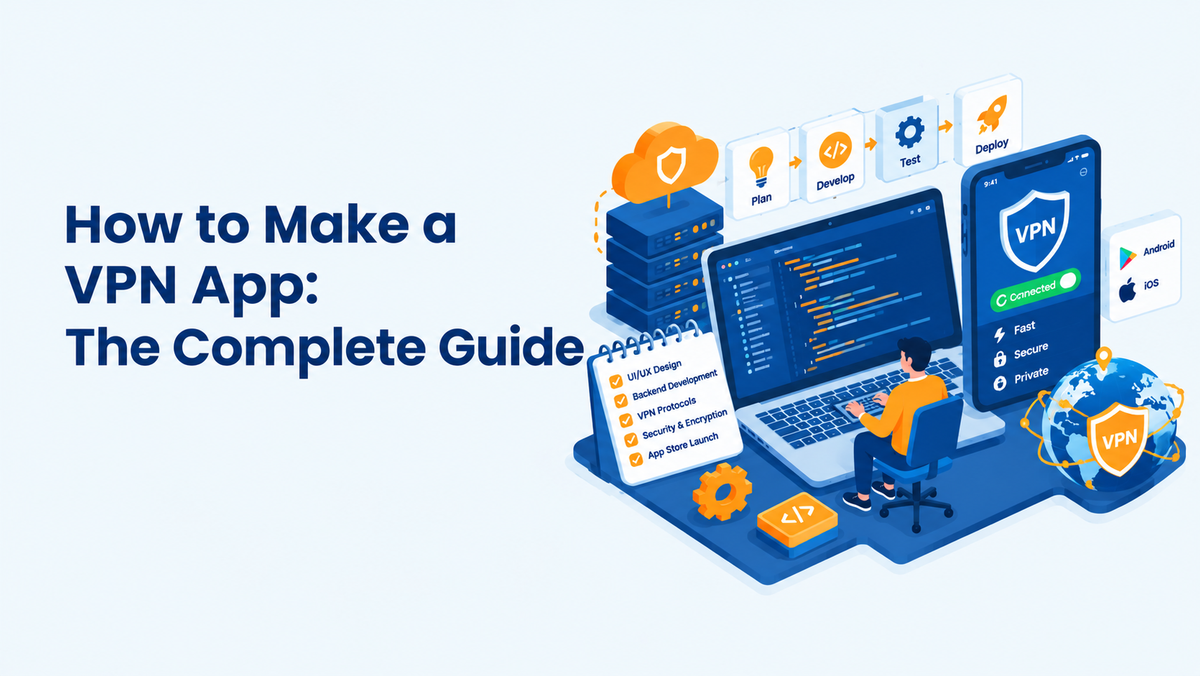
The VPN market is no longer a niche corner of the internet — it's a multi-billion-dollar industry driven by rising surveillance concerns, geo-restricted content, remote work, and government censorship. If you're an entrepreneur eyeing this space, the opportunity is real, but so is the complexity. Building a VPN app isn't like building a to-do list app — it touches network engineering, cryptography, global server infrastructure, mobile OS-level permissions, and a minefield of legal compliance.
This guide walks you through the entire journey of building a VPN app from scratch — from understanding the underlying technology to picking protocols, building admin panels, and launching across every major platform. Whether you're planning to build in-house or work with a white-label provider like Enova VPN, this guide gives you the technical grounding to make informed decisions at every step.
Understand the VPN Technology
Before writing a single line of code, you need to understand what a VPN actually does at the packet level.
A VPN creates an encrypted tunnel between the user's device and a VPN server. Instead of your device talking directly to a website, all traffic is first encapsulated and encrypted, sent to the VPN server, decrypted there, and forwarded to the destination. The response follows the same path in reverse. This is achieved through tunneling protocols (OpenVPN, WireGuard, IKEv2/IPSec) that wrap your original IP packets inside new encrypted packets — a process called encapsulation.
Key technical concepts every founder should grasp:
Tunneling and Encapsulation
Original packets are wrapped inside new packets addressed to the VPN server. The VPN server acts as a proxy, so the destination server only ever sees the VPN server's IP.
Encryption and Ciphers
Data inside the tunnel is encrypted using symmetric ciphers like AES-256-GCM or ChaCha20-Poly1305, combined with asymmetric key exchange (RSA or Elliptic Curve Diffie-Hellman) during the handshake to establish session keys securely.
NAT and IP Masking
The VPN server performs Network Address Translation, replacing the user's real IP with the server's IP for all outbound traffic — this is the mechanism behind IP masking and geo-spoofing.
DNS Resolution
A poorly built VPN can leak DNS queries outside the tunnel, exposing browsing activity even while traffic is encrypted. Proper implementation routes DNS through the VPN's own resolvers.
Split Tunneling vs Full Tunneling
Full tunneling routes all device traffic through the VPN; split tunneling lets specific apps or IP ranges bypass the tunnel — a feature power users expect.
Understanding these fundamentals will directly shape decisions later — protocol choice, server architecture, and even your pricing model.
Craft a Solid Business Plan
A VPN app is a capital-intensive product — server infrastructure, licensing, and compliance all cost money before you earn a cent. Your business plan needs to answer:
- Target market: Are you targeting privacy-conscious consumers, streamers wanting geo-unblocking, businesses needing secure remote access, or users in censorship-heavy regions?
- Competitive positioning: The market has entrenched players (NordVPN, ExpressVPN, Surfshark). Your differentiator could be pricing, niche features (gaming-optimized servers, streaming-specific servers), regional focus, or a white-label reseller angle.
- Revenue model and unit economics: Estimate cost per server, bandwidth cost, app store fees (15–30%), and customer acquisition cost against subscription pricing.
- Go-to-market strategy: App Store Optimization (ASO), affiliate marketing, content marketing, and partnerships with reseller networks.
- Regulatory footprint: Which countries will you operate servers in, and what jurisdiction will your company be registered in (this affects your no-log claims' legal weight).
A realistic 12–18 month roadmap with clear technical milestones (MVP, protocol integration, multi-platform rollout, admin panel, scaling) keeps both your engineering team and investors aligned.
Choose Your Business Model
There are several viable paths to market, each with different technical and financial implications:
Build From Scratch
Full control over the codebase, protocols, and infrastructure. Requires a strong in-house team (network engineers, mobile developers, DevOps) and 6–12+ months of development time. Best suited for well-funded teams with long-term differentiation goals.
White-Label / Reseller Model
License an existing VPN infrastructure and app framework (like Enova VPN's white-label solution), then rebrand it with your own name, logo, and pricing. This drastically cuts time-to-market (often weeks instead of months) since the protocol implementation, server network, and backend are already battle-tested.
Hybrid Model
Use a white-label backend and server network but build a custom front-end app to differentiate on UX while avoiding the cost of building server infrastructure from zero.
B2B / Enterprise VPN
Instead of a consumer app, build a VPN-as-a-service for businesses needing secure remote access for employees — this shifts your feature priorities toward centralized admin control, SSO integration, and audit logging rather than streaming unblockers.
Your choice here cascades into nearly every later decision, especially team size, feature scope, and time-to-revenue.
Define Features Based on Business Model
Once your business model is locked in, map features to it rather than building everything at once.
For a Consumer Freemium App
Free tier with limited servers/bandwidth, one-tap connect, ad-supported or capped data, with premium unlocking full server list, higher speeds, and multi-device support.
For a Premium Subscription App
Full protocol suite, kill switch, split tunneling, dedicated IP options, streaming-optimized servers, and multi-device simultaneous connections (typically 5–10).
For a B2B/Enterprise App
Centralized user provisioning, role-based access control, activity logging for compliance, integration with identity providers (SAML/OAuth), and dedicated servers per organization.
For a Reseller/White-Label Model
Focus features on ease of rebranding, multi-tenant admin control, and flexible pricing tiers your resellers can configure themselves.
Defining an MVP feature set early (secure connect, protocol switching, and basic server selection) prevents scope creep that can stall your launch by months.
Build a Team
VPN development spans several specialized disciplines rarely found in a typical app team:
- Mobile Developers (Android/Kotlin, iOS/Swift) — familiar with low-level VPN APIs like VpnService and NetworkExtension.
- Desktop Developers (C++/C# for Windows, Swift/Objective-C for macOS) for TAP/TUN driver integration.
- Backend/Network Engineers — server provisioning, protocol configuration (OpenVPN/WireGuard server-side setup), load balancing.
- Security Engineers — encryption implementation, penetration testing, leak-proofing, and no-log architecture design.
- DevOps/SRE — automating server deployment across regions, monitoring uptime, and scaling under load.
- QA Engineers — specialized in network testing, leak detection, and multi-platform device testing.
- UI/UX Designer — simplifying a technically complex product into an intuitive one-tap experience.
- Legal/Compliance Advisor — navigating data retention laws and jurisdiction-specific requirements.
For early-stage founders without this bench of talent, partnering with an established VPN infrastructure provider (white-label route) effectively rents you this expertise instead of hiring it outright.
Specify OS (Android, iOS, macOS, Windows, Android TV, & More)
Each platform has a fundamentally different way of establishing a VPN tunnel at the OS level. Getting this right is the technical core of your app.
Android
Android exposes the VpnService API, which lets your app create a virtual network interface (TUN) without root access. Your app reads/writes IP packets through this interface, encrypts them, and sends them to your VPN server over a regular socket. You'll need to handle VpnService.Builder configuration (routes, DNS, MTU), implement a foreground service to keep the tunnel alive, and manage battery-optimization exemptions so Android doesn't kill your background connection. WireGuard's official wireguard-android library or OpenVPN's ics-openvpn are common starting points instead of writing tunneling logic from scratch.
iOS
Apple requires VPN apps to use the NetworkExtension framework, specifically NEPacketTunnelProvider, which runs your tunneling logic in a separate, sandboxed system extension process rather than your main app. This has stricter memory limits (around 15MB) and requires a special entitlement (com.apple.developer.networking.networkextension) from Apple, which must be requested and approved before you can even submit builds. iOS also mandates that your Info.plist and provisioning profile explicitly declare the packet-tunnel-provider capability.
macOS
macOS shares the NetworkExtension framework with iOS (NEPacketTunnelProvider and NETunnelProviderManager), but as a desktop OS it also allows legacy kernel extension (kext) or newer System Extension-based TUN/TAP drivers for more advanced routing control. Apple has been phasing out kexts in favor of NetworkExtension-based System Extensions since macOS Catalina, so new apps should build exclusively on the modern framework to remain compatible with future macOS versions and notarization requirements.
Windows
Windows VPN clients typically rely on a virtual network adapter driver — either the legacy TAP-Windows driver or the modern, much faster Wintun driver (built specifically for WireGuard-style implementations). Wintun operates at the NDIS (Network Driver Interface Specification) level and offers significantly better throughput than TAP. Your app installs this driver alongside the client, binds to the virtual adapter, and routes traffic through it, while a Windows service typically handles the persistent tunnel process and driver lifecycle independent of the user session.
Linux
Linux natively supports TUN/TAP interfaces through the kernel, and WireGuard is built directly into the Linux kernel (since 5.6), making it the most lightweight and performant platform to implement on. A CLI-based or GTK/Qt desktop client typically shells out to wg-quick or uses netlink sockets directly for a native integration without spawning external processes.
Android TV
Android TV uses the same VpnService API as mobile Android, but your app must be built with a Leanback-compatible UI (D-pad navigation instead of touch) and packaged with the Android TV intent filters (LEANBACK_LAUNCHER) to appear in the TV's app launcher and pass Play Store TV review requirements.
Browser Extensions (Chrome, Firefox, Edge)
Browser-level VPNs aren't true system VPNs — they're HTTP/HTTPS proxies implemented via the browser's proxy API (Chrome's chrome.proxy or Firefox's browser.proxy), which reroutes only browser traffic, not the whole device. These are simpler to build but offer weaker protection, so they're best positioned as a lightweight companion product rather than a replacement for the native apps.
Routers
For router-level VPN support, you typically ship OpenVPN or WireGuard configuration files compatible with router firmware like DD-WRT, Tomato, or Asuswrt-Merlin, or partner directly with router manufacturers for native app integration — protecting every device on a network without individual installs.
Design the App
A VPN's core function is invisible — the user isn't watching data get encrypted, so the UI needs to build trust and simplicity around that invisibility.
The Connection Screen
This is your product's most-viewed screen. A single, prominent connect/disconnect toggle, current server location, connection status, and real-time speed indicator should dominate — resist the urge to clutter it with upsells.
Server Selection UX
With hundreds of server locations, users need fast search, favoriting, latency/ping indicators per server, and smart categorization (Streaming, P2P, Fastest, Recently Used).
Onboarding
Since permission prompts (like iOS's VPN configuration approval or Android's connection request dialog) are a hard OS requirement, your onboarding flow should explain why this permission is needed before the system prompt appears, reducing drop-off.
Settings and Advanced Controls
Protocol switching, kill switch toggle, split tunneling app selector, and auto-connect rules need a dedicated, well-organized settings area that doesn't overwhelm casual users while still satisfying power users.
Dark Mode and Accessibility
Given VPN usage skews toward privacy-conscious, often technical users, dark mode support and accessibility (VoiceOver/TalkBack labeling for connection states) are expected baseline features, not nice-to-haves.
Develop the App
Development splits into two parallel tracks that must be built in tandem: the client app and the backend/server infrastructure.
Client-side, each platform's app implements the OS-specific tunneling interface (covered in Section 7), handles protocol negotiation with the server, manages reconnection logic on network changes (Wi-Fi to cellular handoff), and enforces local features like kill switch and split tunneling.
Server-side, you need an authentication and session-management backend (usually REST or gRPC APIs) that issues short-lived credentials or certificates to authenticated users, a server-selection/load-balancing service that returns the optimal server based on user location and current load, and the actual VPN protocol daemons (OpenVPN server, WireGuard's wg interface, etc.) running on each edge server.
A typical architecture separates concerns into: an Auth Service (login, subscription validation), a Server Directory Service (real-time server health/load data), and the Edge VPN Nodes themselves — often deployed via infrastructure-as-code (Terraform/Ansible) so new server regions can be spun up in minutes rather than manually configured.
Make Sure of Rigorous Testing
VPN testing goes well beyond standard QA because a single leak undermines the product's entire value proposition.
Leak Testing
Test for DNS leaks (queries escaping the tunnel to your ISP's resolver), IP leaks (real IP exposed despite an active connection), and WebRTC leaks (browsers exposing local IP via WebRTC's STUN requests, bypassing the VPN tunnel entirely). Automated leak-testing tools should run against every build.
Kill Switch Validation
Simulate abrupt server disconnects and confirm that all traffic is blocked at the OS firewall level (not just the app UI showing "disconnected") until the tunnel reconnects or the user manually disables the kill switch.
Performance and Throughput Testing
Benchmark latency and throughput across protocols (WireGuard typically outperforms OpenVPN significantly) and under varying network conditions (3G/4G/5G/Wi-Fi, high packet loss).
Cross-Platform and Device Testing
Test across OS versions, especially older Android versions with different VpnService behaviors, and various OEM battery-optimization implementations (Samsung, Xiaomi, Huawei) known to kill background VPN processes.
Security Penetration Testing
Engage third-party security auditors to test for man-in-the-middle vulnerabilities, certificate pinning bypasses, and server-side attack surfaces — many premium VPN providers publish these audit results publicly to build trust.
Add Premium Feature (Kill Switch, Split Tunneling, Ad Blocker, Protocol Switching, Encryption, and more)
These features differentiate paid tiers and require real engineering, not just UI toggles.
Kill Switch
Implemented at the OS firewall level — on Android via VpnService's ability to block all non-VPN traffic when the tunnel drops, on iOS via NEPacketTunnelProvider's includeAllNetworks setting, and on Windows/macOS via firewall rule injection tied to the VPN adapter's state.
Split Tunneling
Requires per-app or per-IP-range routing rules. On Android, this uses VpnService.Builder.addAllowedApplication()/addDisallowedApplication(). iOS restricts this more heavily due to sandboxing, often requiring per-domain rules instead of per-app.
Ad Blocker
Typically implemented as DNS-based filtering — routing DNS queries through a resolver that returns NXDOMAIN for known ad/tracker domains (using curated blocklists like those from the Pi-hole or NextDNS ecosystem), rather than inspecting and rewriting packet content.
Protocol Switching
Requires bundling multiple protocol implementations (WireGuard, OpenVPN, IKEv2) into the client and building an abstraction layer that lets users toggle between them, useful for network environments that throttle or block specific protocols.
Encryption Options
Offering cipher choice (AES-256-GCM vs ChaCha20-Poly1305) lets users optimize for either hardware-accelerated performance (AES on devices with AES-NI) or software performance on mobile chipsets (ChaCha20 tends to be faster without hardware acceleration).
Obfuscation (Stealth Mode)
Wraps VPN traffic to disguise it as regular HTTPS traffic, defeating deep packet inspection (DPI) used by restrictive networks — commonly implemented via obfs4, Shadowsocks, or WireGuard-over-Shadowsocks combinations.
Configure Servers & Networks
Your server network is the actual product being sold — the app is just the interface to it.
Decide between bare-metal dedicated servers (better performance, more control, higher cost) versus cloud/VPS providers (faster to scale, cheaper to start, but shared infrastructure raises privacy concerns for a "no-log" claim). Many privacy-focused VPNs now run RAM-only servers (diskless servers that wipe all data on reboot) to technically guarantee no persistent logs even under legal seizure.
Geographic distribution matters directly for latency and unblocking capability — aim for coverage across major regions (North America, Europe, Asia-Pacific) with server density weighted toward where your user base actually is. Implement load balancing so the app's server-selection API routes users to the least-loaded, lowest-latency node automatically rather than a static list.
For scale, container orchestration (Docker + Kubernetes or simpler tools like Ansible playbooks) lets you spin up new VPN nodes in new regions rapidly, with automated health checks pulling degraded servers out of rotation.
Integrate Payment System
Payment integration for a VPN app has more moving parts than typical SaaS billing because of app store rules.
- In-App Purchases: Apple and Google mandate that subscription purchases made within their apps go through Apple's StoreKit or Google Play Billing respectively, taking a 15–30% cut. This is non-negotiable for iOS and largely enforced for Android too.
- Web-Based Billing: For direct website sales (bypassing app store cuts), integrate Stripe or PayPal for card and wallet payments, with webhook-driven subscription status syncing back to your backend.
- Cryptocurrency Payments: Privacy-focused VPN users often expect crypto payment options (Bitcoin, Monero) for anonymous purchasing — integrate via a payment processor like BTCPay Server or CoinGate.
- Subscription Lifecycle Management: Your backend needs to handle renewals, failed payments/dunning, proration on plan changes, and grace periods before revoking access, synced consistently across whichever payment rail the user used.
Integrate Protocols
Protocol implementation is the technical backbone of the product.
OpenVPN
The long-standing industry standard, built on OpenSSL, highly configurable, and works over both UDP (faster) and TCP (more reliable through restrictive firewalls, since it can run over port 443 alongside regular HTTPS traffic). Slower than newer protocols due to its userspace implementation and TLS handshake overhead.
WireGuard
A modern protocol with a dramatically smaller codebase (~4,000 lines vs OpenVPN's ~100,000), using state-of-the-art cryptography (ChaCha20, Curve25519, BLAKE2s) baked in rather than configurable. It's implemented at the kernel level on Linux for major speed gains and has become the default choice for most new VPN products due to faster handshakes and better mobile battery performance.
IKEv2/IPSec
Particularly strong for mobile devices because of its native support for the MOBIKE extension, which lets a VPN session survive seamlessly across network changes (e.g., Wi-Fi to cellular) without dropping the tunnel — a common pain point with other protocols.
Shadowsocks/Obfuscated Protocols
Not a traditional VPN protocol but a SOCKS5 proxy with encryption, popular specifically for circumventing deep packet inspection in heavily censored regions like China, since its traffic pattern is harder to fingerprint than standard VPN protocols.
Most competitive VPN apps ship at least WireGuard and OpenVPN, with IKEv2 as a mobile-optimized fallback and an obfuscated option for restrictive networks.
Build an Admin Panel
The admin panel is your operational control center and should give your team visibility and control without touching server code directly.
Core modules typically include: user management (account status, subscription tier, device count, ban/suspend controls), server management (add/remove nodes, view real-time load and health per server, push protocol config updates), billing and revenue dashboards (MRR, churn, failed payments), support ticket integration, and analytics (active connections, bandwidth usage per region, most-used protocols) to inform infrastructure scaling decisions.
Role-based access control within the admin panel itself matters too — support staff shouldn't have the same access as infrastructure engineers.
Make Reseller & Affiliate Panel
If part of your growth strategy involves resellers or affiliates (common in the VPN space), you need dedicated tooling separate from your core admin panel.
A reseller panel typically lets partners generate their own branded sign-up links or even fully white-labeled app builds, set their own retail pricing within limits you define, and view their own customer base and commission earnings — without exposing your core infrastructure or full user database.
An affiliate panel is simpler — tracking referral links/codes, calculating commission on conversions (often tiered by volume), and handling payout processing (PayPal, bank transfer, or crypto), typically integrated with an affiliate tracking platform or built custom with UTM-based attribution.
Optimize the App for Different Countries
A VPN that works everywhere equally well is rare — regional network conditions and censorship regimes demand specific optimization.
For heavily censored markets (China, Iran, Russia, UAE), standard VPN protocols are often actively detected and blocked via deep packet inspection. This requires obfuscated/stealth servers that disguise VPN traffic as regular HTTPS, frequently rotating server IPs since blocklists catch up quickly, and protocol fallback logic that automatically retries with a different protocol or obfuscation method if a connection attempt fails.
For streaming-heavy markets (US, UK for platforms like Netflix, BBC iPlayer), you need dedicated streaming servers with IPs that aren't already blacklisted by streaming platforms' VPN-detection systems — this requires ongoing IP rotation and monitoring, since streaming services actively hunt and block known VPN IP ranges.
For regions with poor connectivity infrastructure, prioritize lightweight protocols (WireGuard) and aggressive reconnection logic to handle frequent network drops gracefully.
Develop Required APIs
Your entire product is glued together by internal APIs. Core ones to plan for:
- Authentication API: login, token refresh, multi-device session management.
- Server List API: returns available servers with real-time load/latency metadata, often geo-aware to suggest the nearest servers first.
- Subscription/Billing API: validates active subscription status across app store receipts and direct payments, syncing entitlements to the client.
- Device Management API: enforces simultaneous connection limits per plan tier, letting users view and remotely log out other devices.
- Analytics/Telemetry API: (privacy-respecting) aggregate usage data for infrastructure planning without logging individually identifiable browsing activity.
- Support/Ticketing API: if integrating in-app support chat or ticket submission.
Design these APIs with strict rate limiting and authentication (short-lived JWTs, mutual TLS between edge servers and backend) since they're a prime attack target.
Comply with Legal Terms
Legal compliance is not optional groundwork — it's core to your product's credibility.
No-Log Policy: If you claim "no logs," your actual server configuration must back that up technically (RAM-only servers, no persistent connection logs) — claims that don't match architecture have led to real reputational damage for VPN providers after server seizures revealed logging.
Jurisdiction: The country where your company is legally based determines what data retention laws and government data-request obligations apply — many VPN companies deliberately incorporate in privacy-friendly jurisdictions outside surveillance-sharing alliances like the "14 Eyes."
GDPR/CCPA and Regional Privacy Laws: If you have EU or California users, you need compliant data handling, clear privacy policies, and mechanisms for data deletion requests, even if you're not logging browsing activity — account and billing data still falls under these laws.
Independent Audits: Increasingly expected by users — third-party security firms auditing your no-log claims and codebase, with public audit reports, meaningfully differentiate trustworthy providers from the rest.
App Store Policy Compliance: Both Apple and Google have specific review requirements for VPN apps, including clear disclosure of data practices and, for iOS, formal approval of the NetworkExtension entitlement before submission.
Make a Website (Optional)
While the app is your core product, a website remains valuable for SEO-driven organic acquisition, hosting your privacy policy and audit reports (which build trust before install), handling direct web-based subscription sales to avoid app store fees, and providing a support/documentation hub. A technical blog covering your protocol choices, security practices, and transparency reports also serves as long-term content marketing that pure app-store presence can't replace.
Make SDKs & APKs (Optional)
If you plan to license your VPN technology to other businesses (the white-label/reseller model from Section 4), packaging your core tunneling logic as an SDK lets partners embed VPN functionality into their own apps without touching your backend infrastructure directly. This typically means exposing a clean API surface (connect, disconnect, server list, status callbacks) while keeping protocol implementation and server communication abstracted away.
Distributing standalone APKs (outside the Play Store) is also relevant for reaching users in regions where Play Store access itself is restricted or where sideloading is the norm — this requires your own update mechanism and signing/security process to maintain trust outside Google's review pipeline.
How Enova VPN Can Help You to Make Your VPN App?
Building all of the above from scratch is a genuine multi-team, multi-month (often multi-year) undertaking. Enova VPN offers a white-label VPN infrastructure and app framework that gives entrepreneurs a shortcut without cutting corners on the technical fundamentals covered in this guide.
With Enova VPN, you get a pre-built, protocol-diverse client (WireGuard, OpenVPN, IKEv2) across every major platform covered in Section 7, a globally distributed, load-balanced server network already configured for both everyday privacy use and restrictive-network scenarios, ready-to-brand admin, reseller, and affiliate panels, and integrated payment rails supporting both app store billing and direct subscriptions. Instead of spending your first year building infrastructure, you can launch a fully-branded, technically robust VPN app in a fraction of the time — while retaining the flexibility to layer on custom features as your business grows.
Conclusion
Building a VPN app is a serious technical undertaking that spans cryptography, network engineering, multi-platform mobile development, global infrastructure, and layered legal compliance. There's no shortcut around understanding the underlying technology — even if you choose a white-label path, knowing how tunneling, protocols, and server architecture actually work will make you a sharper, more credible operator in a market where trust is the entire product.
Whether you build from the ground up or partner with an established provider like Enova VPN to accelerate your timeline, the entrepreneurs who win in this space are the ones who treat security and technical rigor as the product itself — not just a feature checkbox.
FAQs
How long does it take to build a VPN app from scratch?
A fully-featured, multi-platform VPN app typically takes 6–12+ months with an experienced team, covering protocol integration, server infrastructure, and rigorous security testing. A white-label approach can cut this to a few weeks.
Which VPN protocol should I use?
WireGuard is the best default for speed and modern cryptography, OpenVPN remains valuable for its TCP/443 firewall-evading capability, and IKEv2 is strong for mobile network-switching reliability. Most competitive apps ship all three.
Do I need my own servers, or can I use cloud providers?
Both are viable — cloud/VPS providers offer faster scaling and lower upfront cost, while dedicated bare-metal or RAM-only servers offer stronger privacy guarantees for a credible no-log claim.
Is a white-label VPN app less secure than a custom-built one?
Not inherently — a reputable white-label provider's infrastructure has typically been battle-tested across many client apps and audited independently, which can actually mean more real-world security validation than a brand-new custom build.